

Easier procedure for safety signs selection
Everlux, a company that has been providing high-quality products and services since 1989, has developed a new software tool called Everlux Onboard to simplify the quotation and ordering process.
With Everlux Onboard, you can browse through the entire Everlux Maritime catalogue and create a list of desired signs by selecting item codes, base materials, sizes, and types.
The tool includes a search option that makes it very easy to find a specific sign using the Everlux or IMPA item codes.
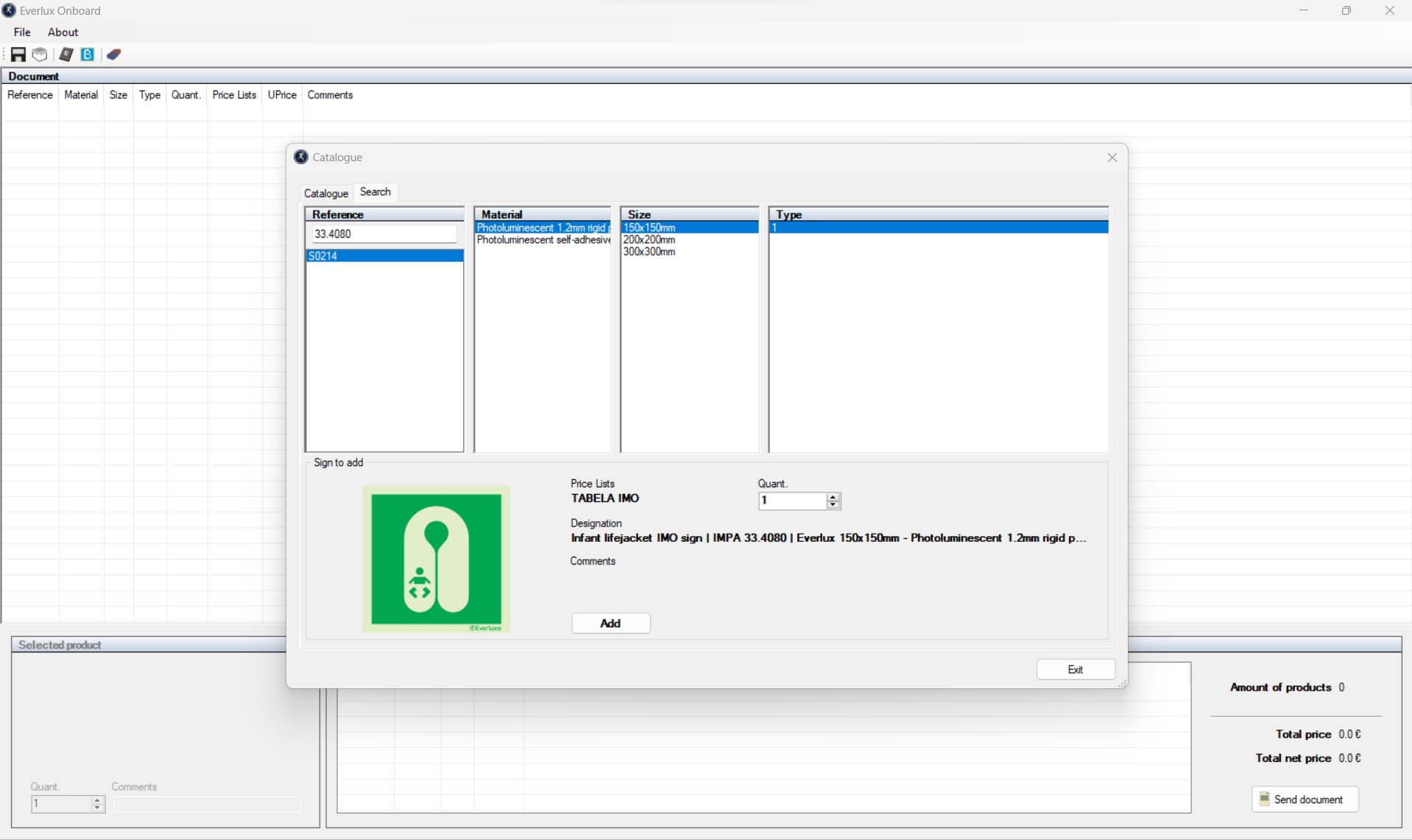
If you have specific requirements, it is also possible to include bespoke signs by selecting the ‘bespoke’ icon and providing a detailed description of the required features such as material, size, colors, graphic content, additional text, and quantity.
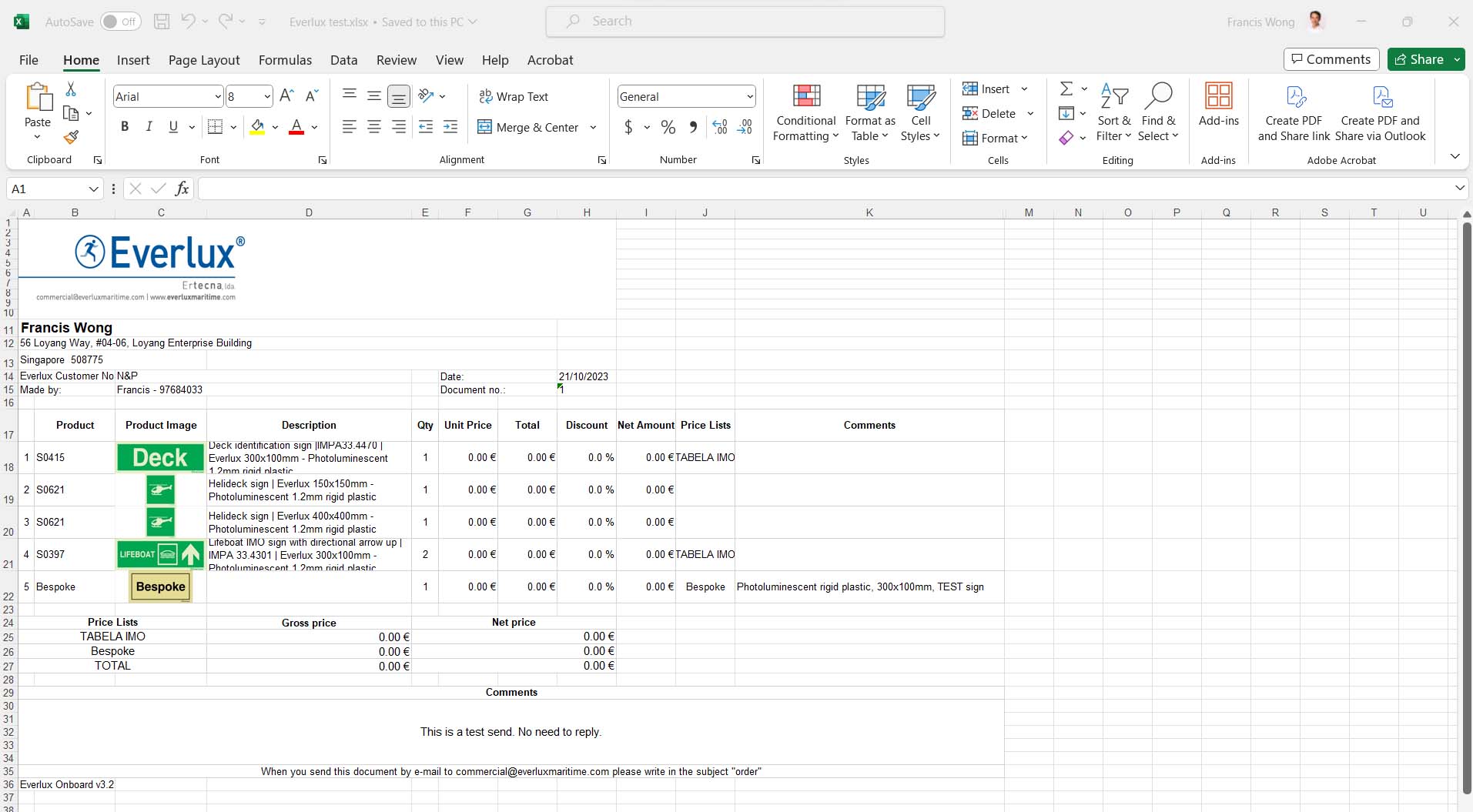
Once all the required safety signs have been selected, you can automatically generate an editable Excel file containing the list of signs and all associated information, including images, which can be used in your quoting and ordering processes. Just press the 'send document' button on the bottom right and follow through the instructions. It is just that simple.
Everlux Onboard software tool is free to use and accessible to all, see the embedded video on how it works.
Ready to download and install? Click here
After you have downloaded and installed the software, you will need to fill up your particulars when you first open it. This software requires a code provided by Ertecna, Lda (the parent company of Everlux).
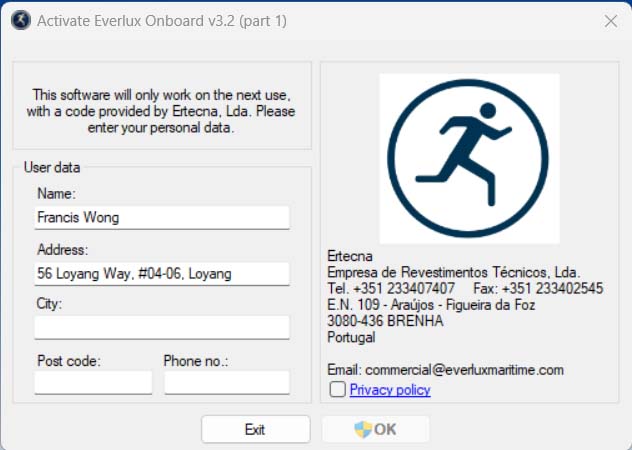
After which, you have to send an email to Everlux at commercial@everluxmaritime.com to get your activation code. It is required to activate the software.
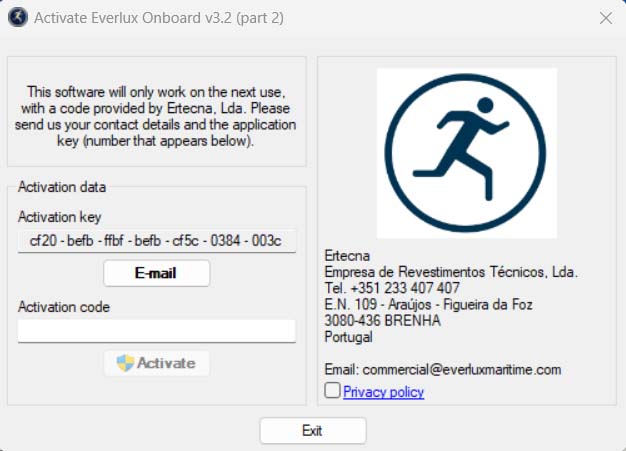
Everlux usually will reply within the day. It took half a day for me to get the code. (I am in Asian time zone while they are based in Portugal)
The software is simple to use, it benefits me, as a seller of their products, to generate quotations with product image for my customers. I am able to browse the complete catalogue and search using IMPA code which is quite time consuming if browsing through the physical catalogue. Another great advantage to using this software, just 2 clicks to update the software and catalogue, you can find it under the "About", "Verify Updates". It will update itself with the latest updates to the catalogue, no need to wait for catalogue shipment.
I can see this as my go-to software for generating marine safety signs quotations to my customers from now onwards. If you have tested the software, let us know what you think about it.
*N&P Maritime (S.E.A.) Pte Ltd sells products from Everlux Maritime, a company that designs and manufactures premium quality marine safety signs for marine, cruise ships, yacht and offshore installations. Contact us at sales@npmarine.sg and/or +65 97684033 if you have any questions or enquiries about marine safety signs.
**Everlux Maritime is a company that designs and manufactures premium quality IMO signs, marine signs, and complete safety signage solutions for marine and offshore industries. They have been in the business for over 30 years and are based in Portugal. Their products are IMO and ISO compliant, and they offer a wide range of IMO symbols and safety signs. Everlux Maritime’s products are manufactured using high-quality materials and manufacturing processes, which ensures that they meet the highest standards of quality and safety. They also have a team of experts who design their products to meet the latest IMO regulations. Their products are tested to ensure that they meet the highest standards of quality and safety. Everlux Maritime’s products are also backed by excellent customer service, which ensures that their customers receive the support they need when they need it.
Disclosure & Disclaimer: This post may contain advertisements which means we receive a commission if you click through the links, at no costs to you. This helps us fund this project to continue our research, produce contents to educate more people.
FAQ
How do I search for a specific sign by IMPA code in Everlux Onboard?
Use the search option under the "Catalogue" tab at the top left and enter the IMPA item code. The tool lets you browse the entire Everlux Maritime catalogue and select item codes, base materials, sizes, and types. You can also search using Everlux item codes.
Can I add bespoke signs to an Everlux Onboard sign list?
Yes. Select the "bespoke" icon and provide a detailed description of the required features, such as material, size, colors, graphic content, additional text, and quantity. Bespoke signs can be included alongside catalogue signs. Once selected, you can generate an editable Excel file with the list and associated information, including images.
How do I export my Everlux Onboard safety sign selection to Excel?
Press the "send document" button at the bottom right and follow the instructions. Everlux Onboard automatically generates an editable Excel file containing the selected signs and all associated information, including images. This file can be used in your quoting and ordering processes. No need to manually compile the sign list.
How do I activate Everlux Onboard after downloading and installing it?
Fill in your particulars when you first open the software, tick the Privacy policy box, and email Everlux at commercial@everluxmaritime.com to request your activation code. Enter the code, tick the Privacy policy, and press Activate. Everlux usually replies within the day; the post notes half a day from the Asian time zone.
Is Everlux Onboard free to use, and how do I update the catalogue?
Yes, Everlux Onboard is free to use and accessible to all. After installation and activation, you can update the software and catalogue in two clicks under "About" then "Verify Updates", so it updates itself with the latest catalogue updates without waiting for a catalogue shipment.